
- Port services
- Operational platform
- Work assignment
PortLinkfrom vessel call to field work
Connect vessel schedules, required services and the people doing the work.
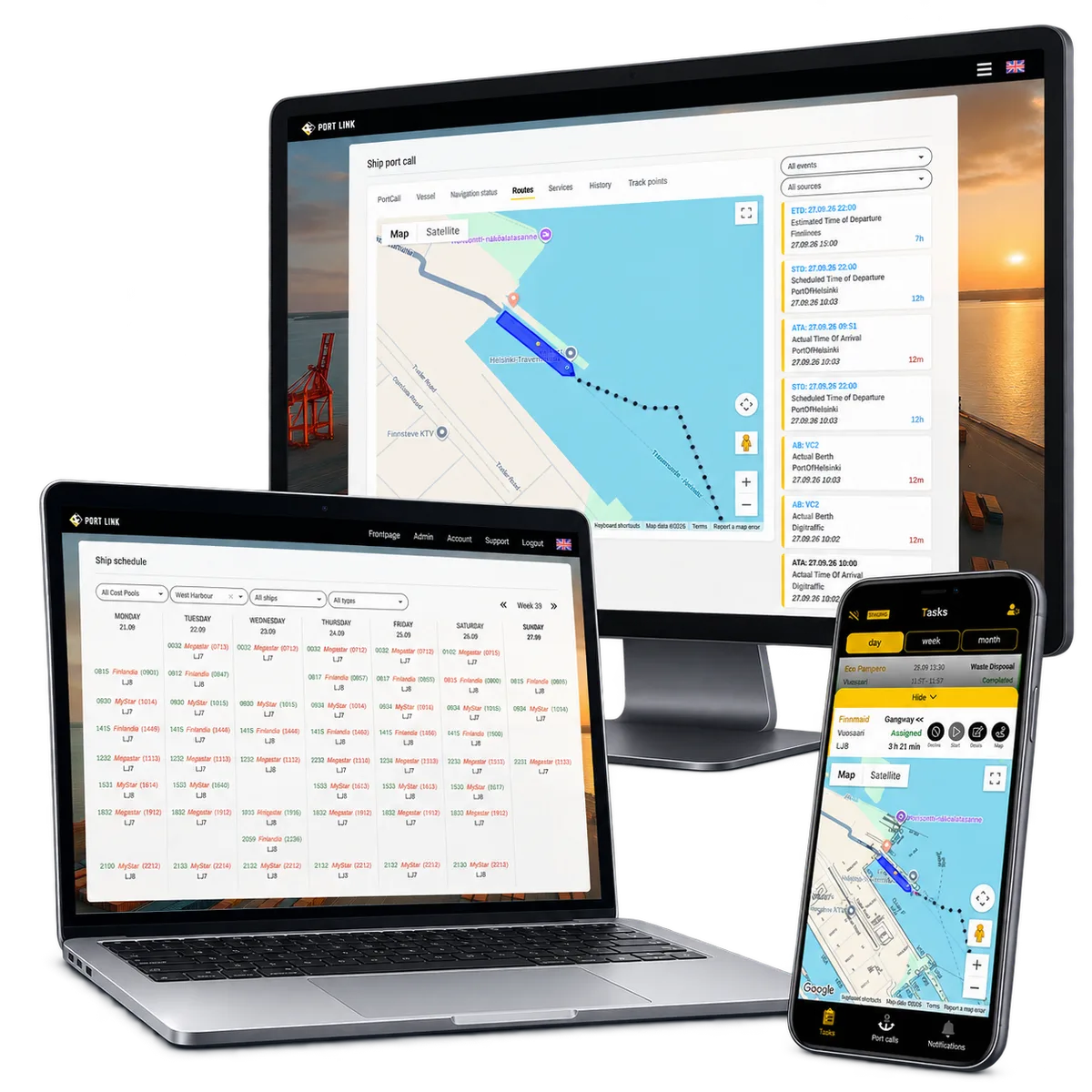
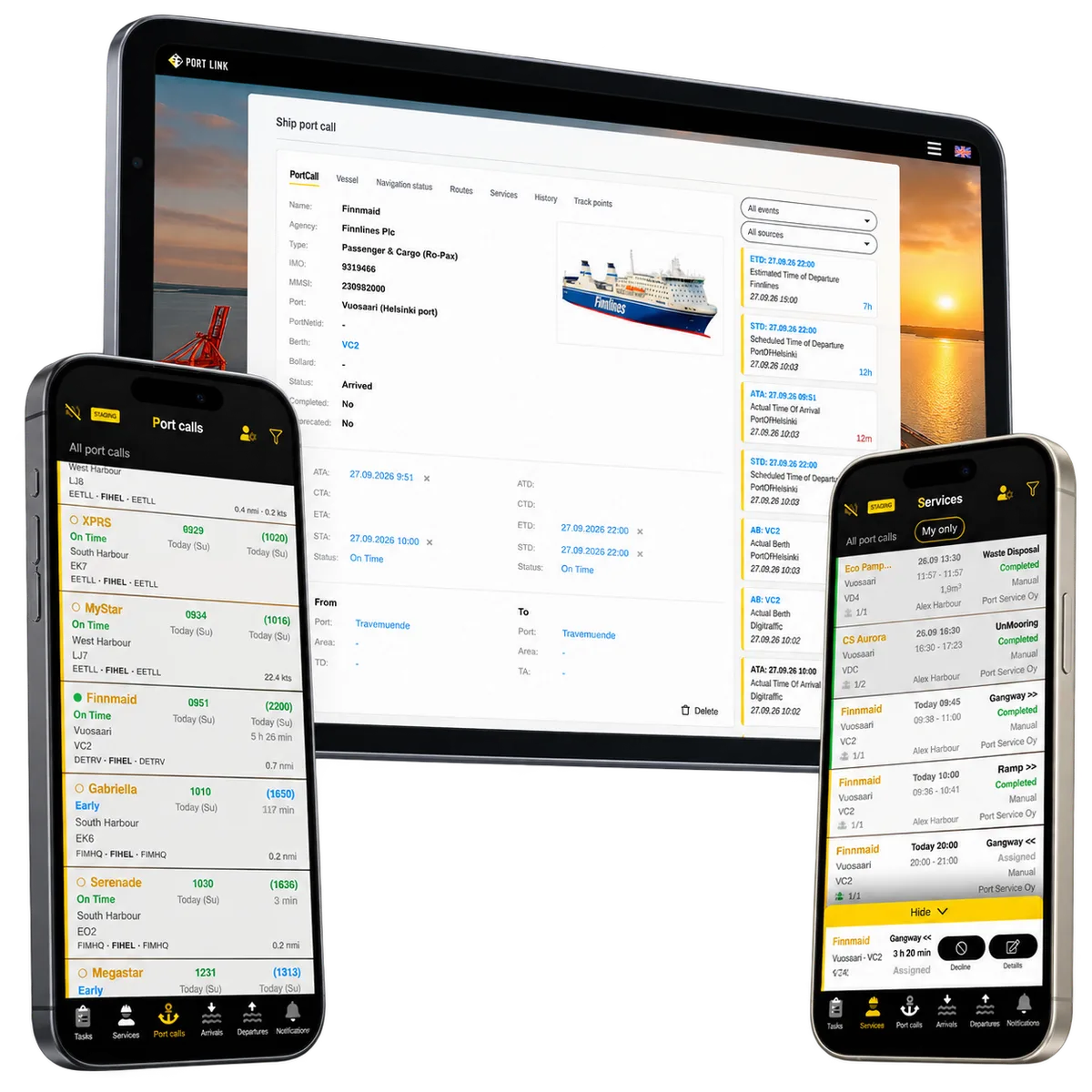
PortLink gives supervisors, employees and subcontractors a shared operational context on desktop and mobile. Incoming information, service plans and individual assignments stay connected to the same vessel call.
- Live product The product is in real use with live customer orders and day-to-day operations.
- Active development The product is actively extended with paid development, including new larger modules and vertical scaling.
- License updates Continuous improvements, UX refinements and functional updates are delivered through the ongoing development license.
- Suomi (Finnish)
- Svenska (Swedish)
- English (English)
ReApptor can build multilingual workflows for teams and customers working across markets!
Case overview
Business problem
The business problem
A vessel arrival is a commitment to organise work on shore. The team needs to know which ship is arriving, where it will berth and which services are needed. Mooring, gangway and ramp work, traffic control and additional requests must fit the visit.
When schedules, staffing and customer-specific work orders live in separate messages and lists, supervisors have to reconnect the information whenever plans change. Employees and subcontractors need the current context before they go to work.
- Manual task distribution slows operational response.
- Vessel and task information must be visible to the right roles at the right time.
The solution
ReApptor built PortLink around the complete operational process: vessel information → port call → services → team assignments → work on site → reporting. Role-based web and mobile views keep these records together while giving each person a focused workspace.
A call can contain several services, each with its own planned time, staffing requirement and work status. Supervisors organise employees and subcontracted work; field teams follow their assignments and record progress in the same context.
- Supervisors can coordinate work from a shared operational view.
- Employees and subcontractors receive structured mobile workflows.
In practice · PortLink
One vessel call. A connected work plan.
Follow how incoming information becomes a service plan that the team can act on.
-
Understand the visit
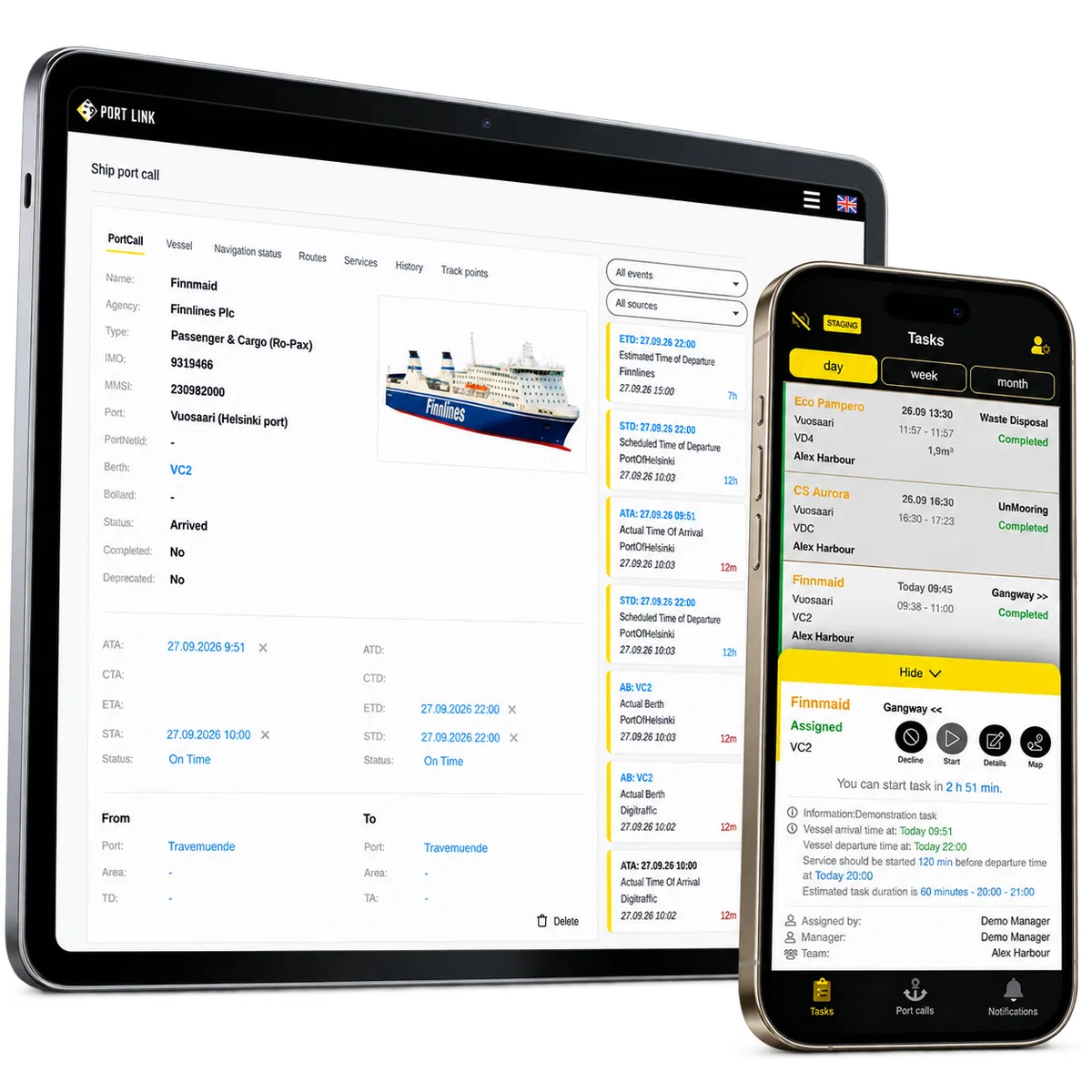
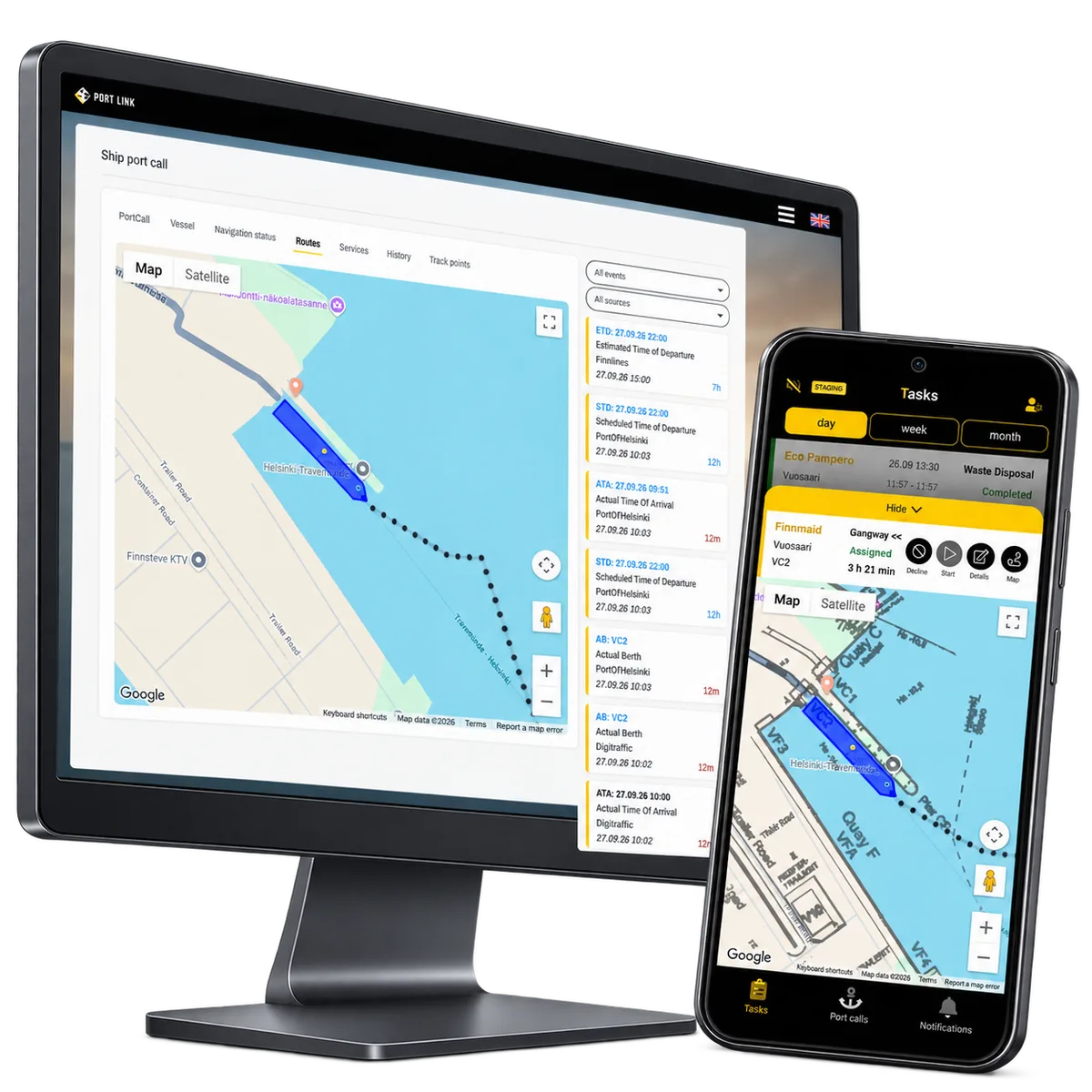
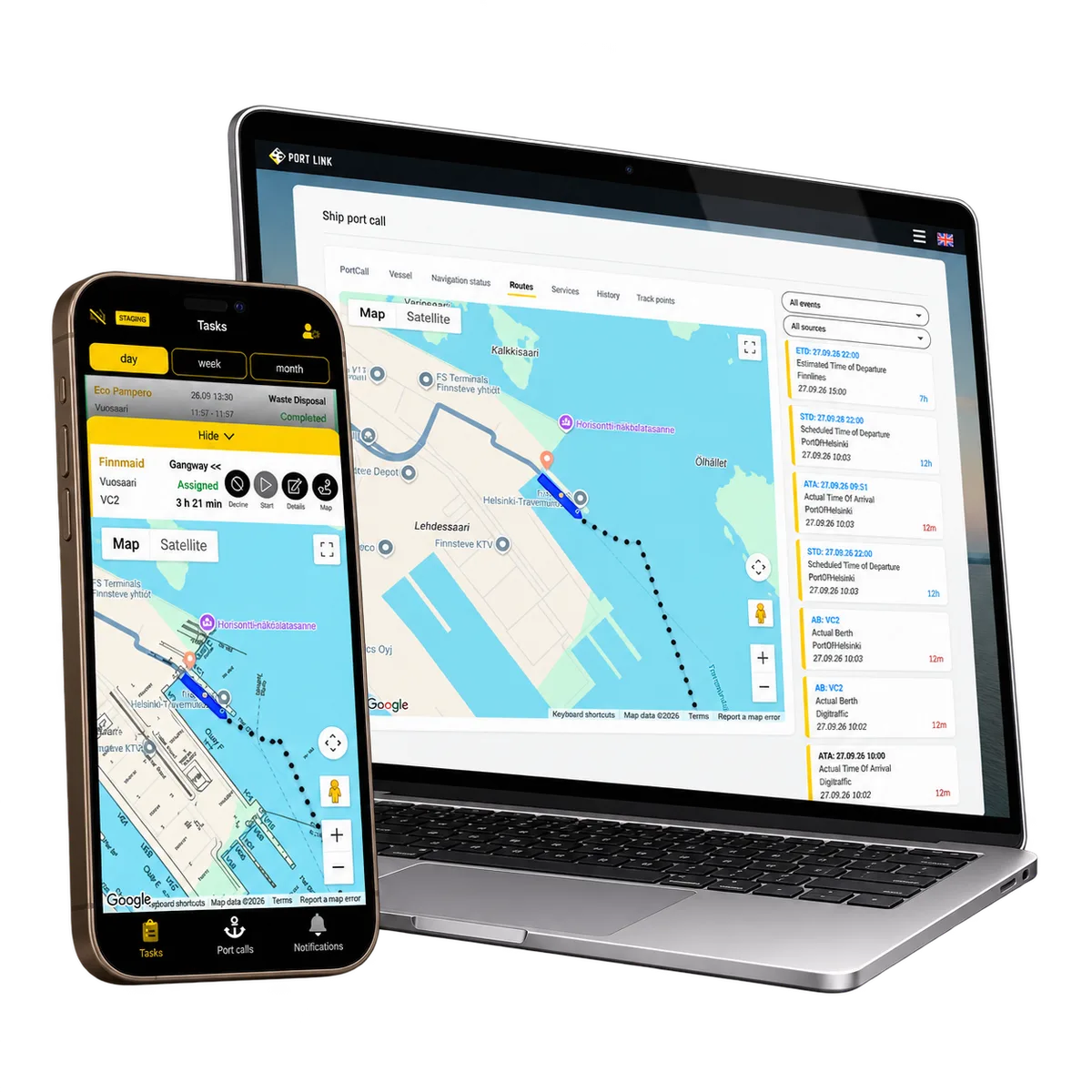
Bring together the vessel, port, berth and scheduled, estimated or actual arrival and departure times. Supported emails and attachments can add structured schedule or service-request information linked to its source.
-
Prepare each service
Plan arrival and departure work around the same call: mooring, gangways, ramps and additional services. Each job retains its timing, staffing requirement and status; vessel and port settings help prepare the configured services.
-
Assign responsibility
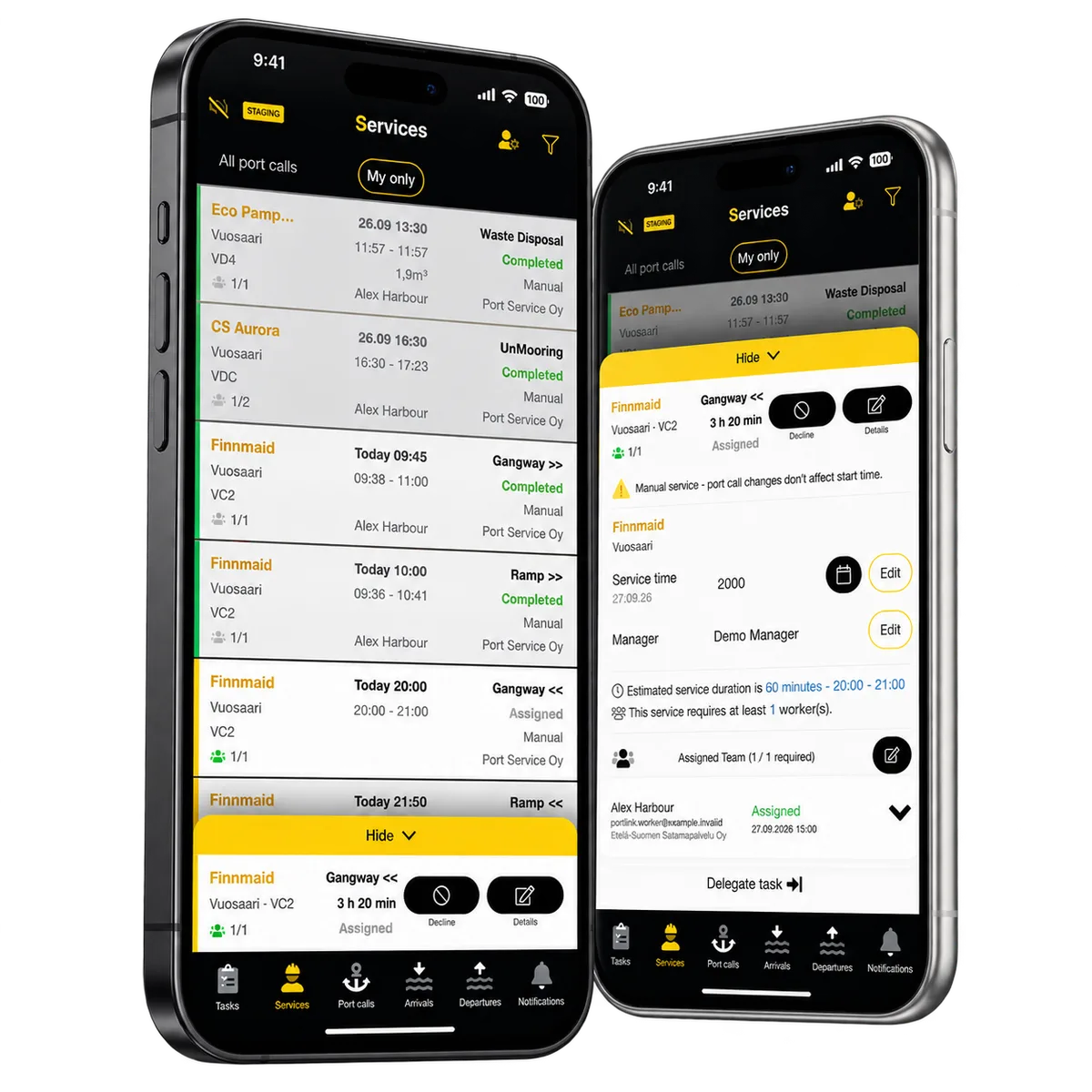
Supervisors assign employees, appoint a responsible manager and delegate work to subcontractors. The service keeps its required staffing and individual assignments, so several workers can contribute to one coordinated job.
-
Carry the context into the field
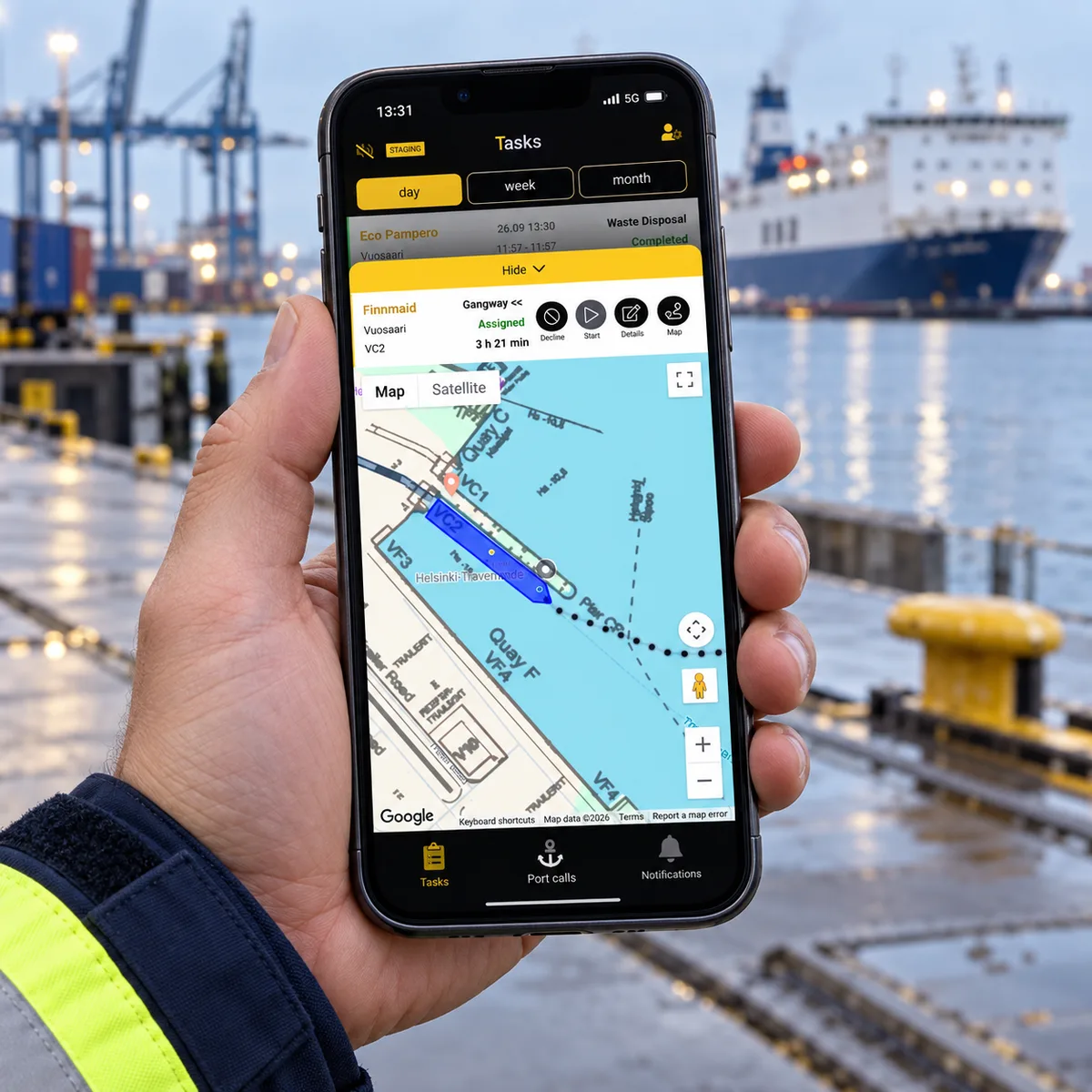
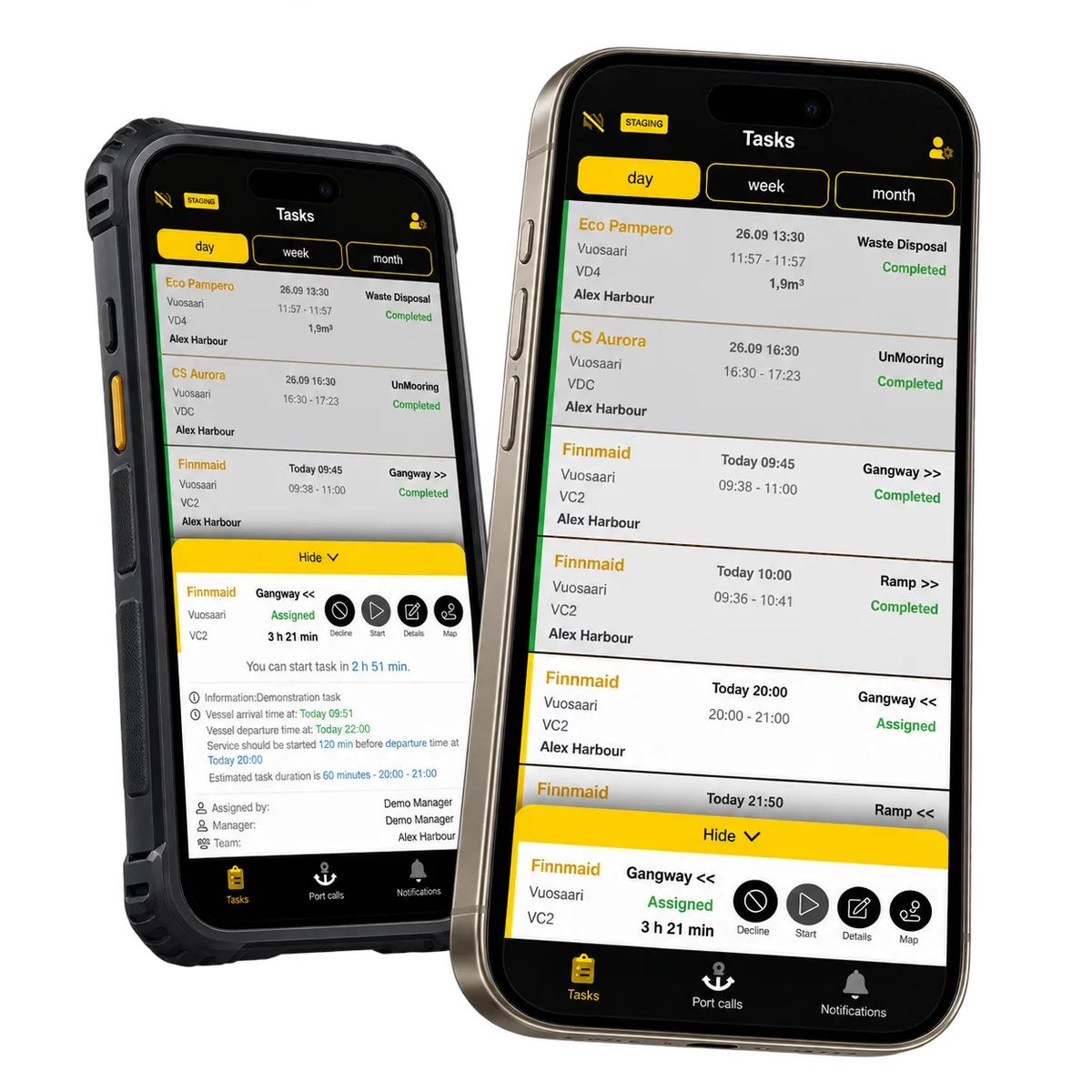
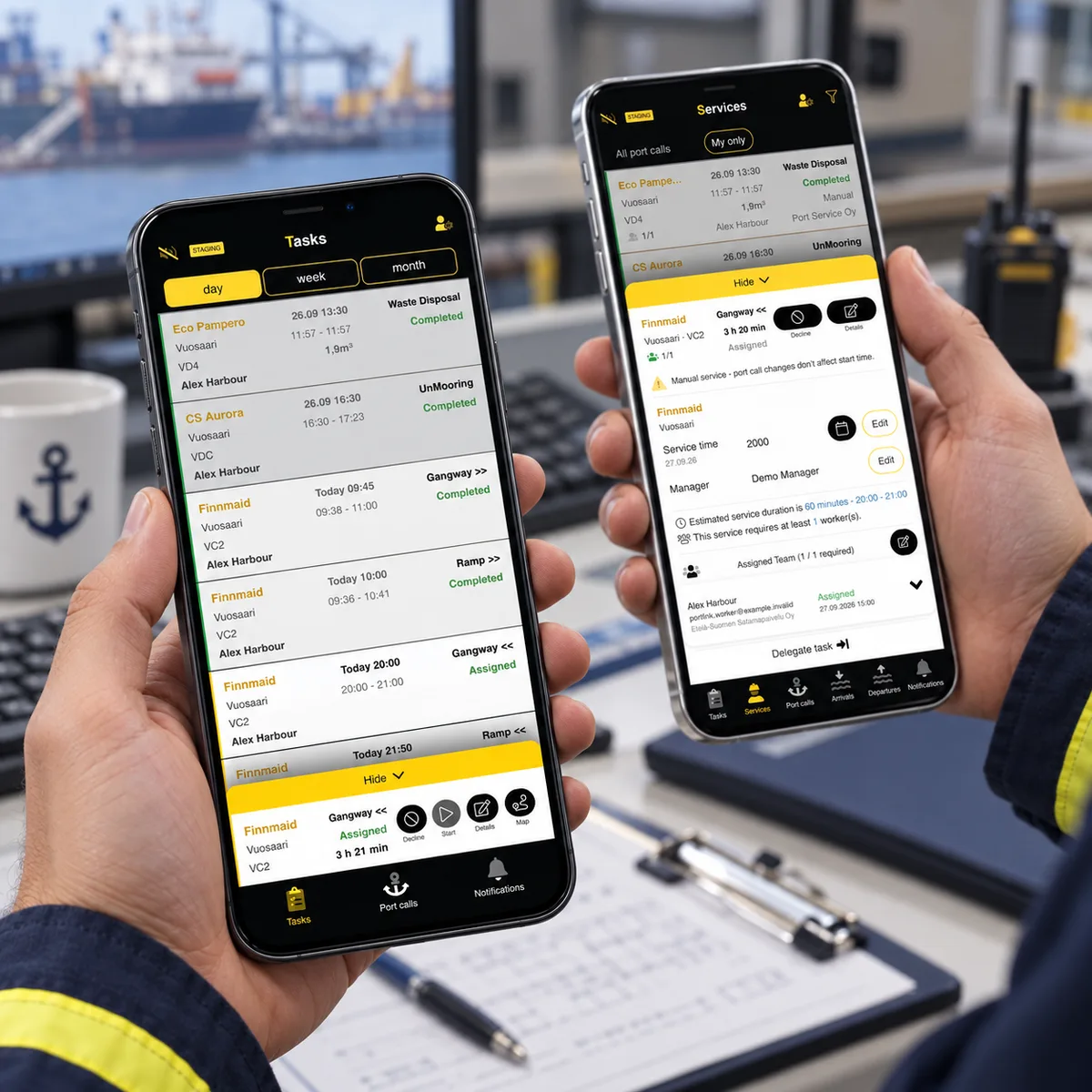
Workers open their assigned tasks on mobile, review the vessel and service details, then start and finish work. Updates and operational reports connect the field activity back to the service and vessel call.
Case overview
Reusable platform model
PortLink is a reusable operational platform for port service companies coordinating vessel-related work, teams and time-sensitive tasks. The vessel call holds the shared context; each service describes the work promised, and individual assignments show who will carry it out.
This model connects planning to execution without treating every worker assignment as a separate service. Supervisors can follow the visit as a whole, while employees and subcontractors receive the details relevant to their work.
ReApptor can apply this approach to another service business: define its customer commitments, service types, staffing rules and handovers, then shape the web and mobile workflows around them.
The same foundation can be configured around different ports, service types, roles, shifts and operational extensions.
Work order management
Keep each service’s planned time, required team and work status linked to the vessel call.
Dynamic assignment
Assign employees and a responsible manager, and organise delegated subcontractor work.
Port call visibility
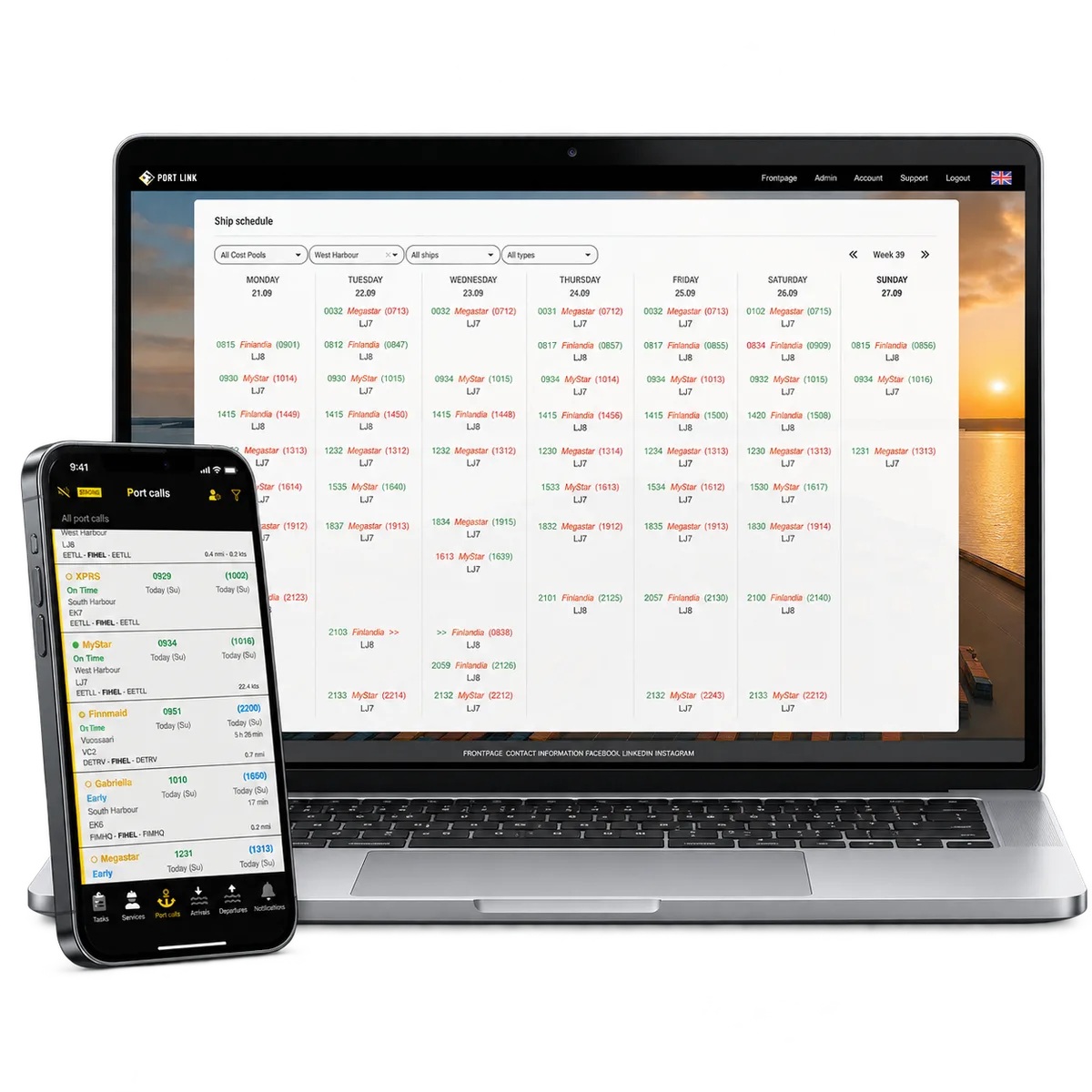
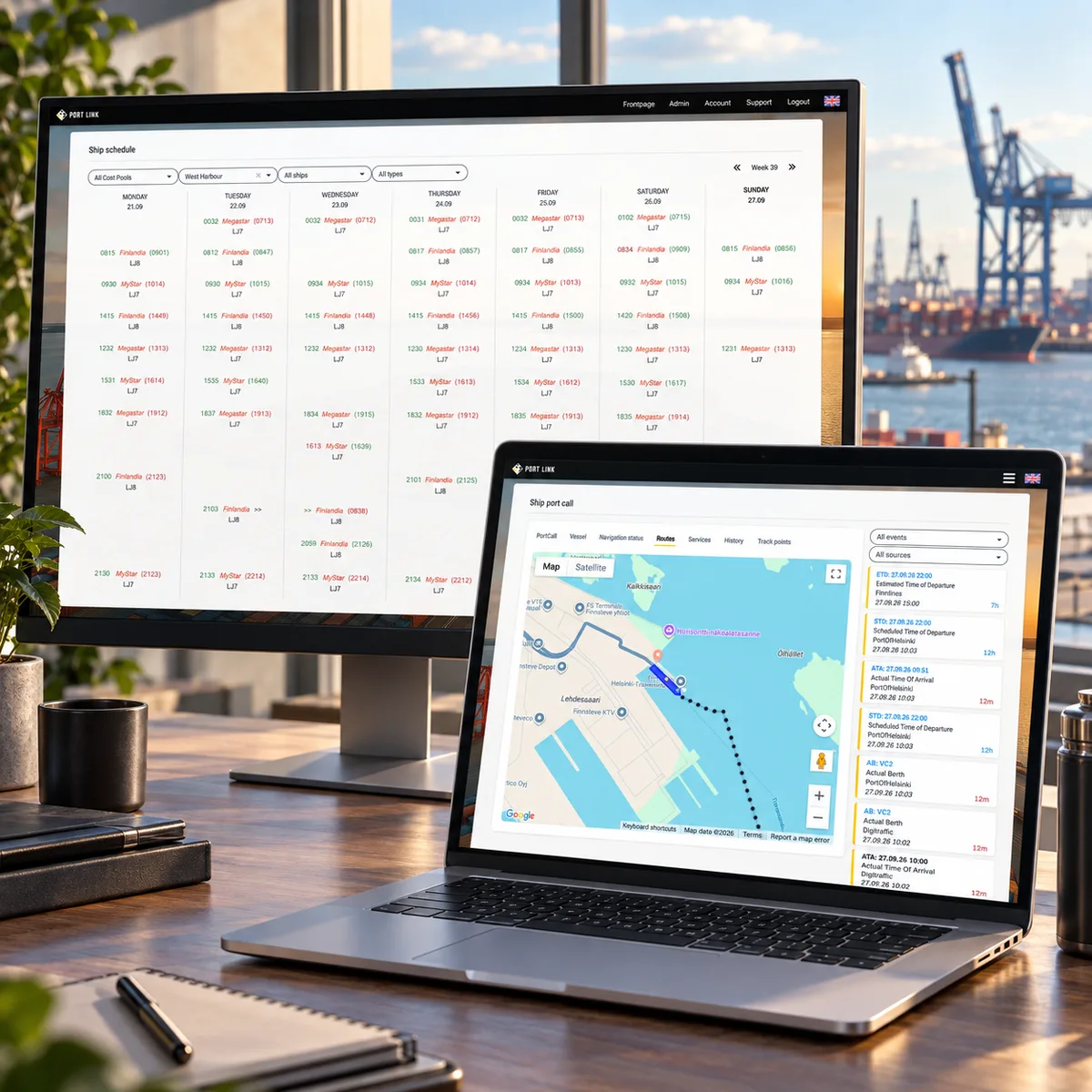
Distinguish scheduled, estimated and actual times alongside the port, area and berth.
Mobile task workflows
Give field teams the vessel and service context for starting, completing and reviewing tasks.
Product capabilities
What customers and teams can do
Work assignment
Dynamic work assignment
Supervisors assign employees to a service, appoint a responsible manager and delegate work to subcontractors. The required staffing and individual assignments remain together. A service with several workers is still one service, with visibility into the people and work behind it.
Operations
Port calls management
The call brings together the vessel, port area, berth and arrival or departure information. Several services can belong to one visit: gangways and ramps to put in place and remove, mooring and unmooring, water and additional requests. Each keeps its own planned time and work status.
Mobile workflow
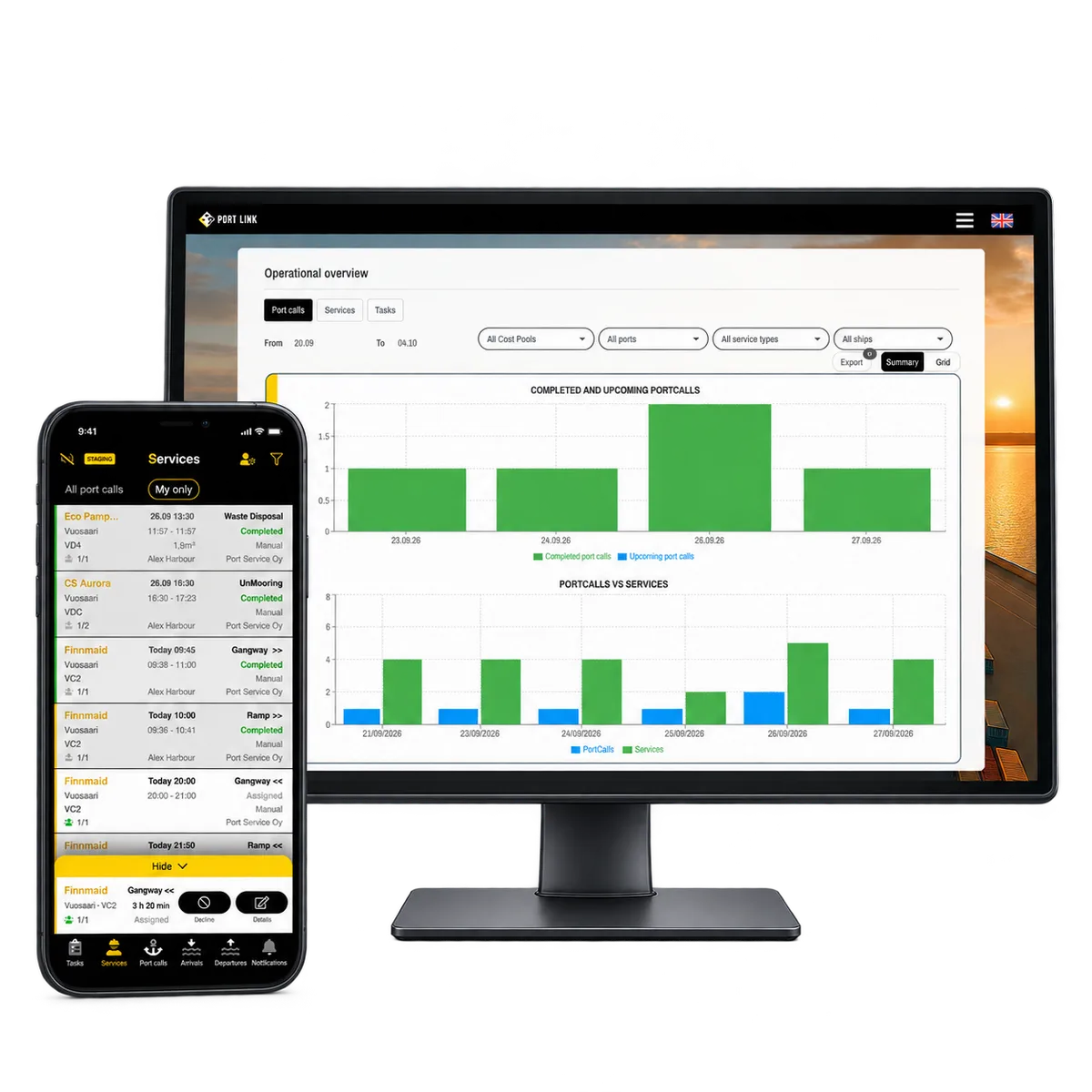
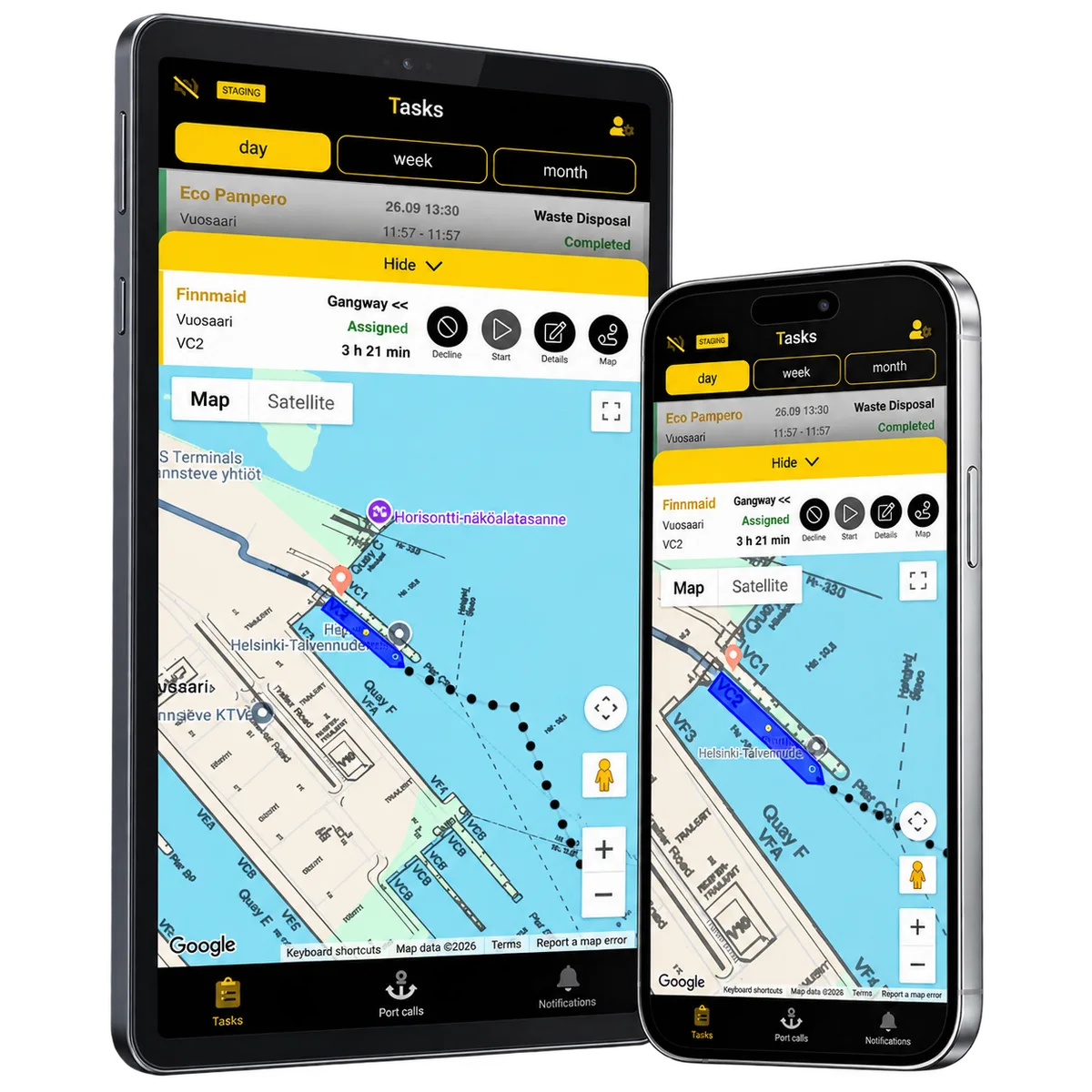
Mobile task view
Workers view the vessel and call context alongside their assigned work on mobile. They can accept, start and finish tasks and record relevant service details or equipment in the workflow. The result stays connected to the service, so the office can follow individual work within the overall visit.
Notifications
Operational notifications
Operational notifications bring assignments, vessel movement, upcoming tasks and changes to the relevant team’s attention. Schedule events distinguish planned, estimated and actual times. The team can follow the updated visit and its work without treating every incoming message as a separate task list.
Documents and AI
AI-assisted information intake
Supported incoming emails and attachments can provide structured vessel schedules and service requests. Extracted information connects to operational events while retaining its source document. AI helps prepare information for the process; service rules, supervisors and field teams carry the work forward.
Reporting and shifts
Reporting across the operation
Separate views for calls, services and individual tasks let supervisors review the period and operational context that matter. Excel and PDF reports support follow-up. Shift records and their relationship with employee tasks also support working-time planning within the same operating environment.
Reusable platform model
Live use and rollout
production deployment
South Finland Port Service deployment
A contracted PortLink deployment for digital work assignment, operational management and mobile workflows.
operational extension
Vuosaari operations extension
An operational configuration for Vuosaari port service workflows.
How it works
Keep changing plans connected to the work
Role-based operational architecture
Employees, supervisors and subcontractors work with focused views of the same operational records. A field worker needs the vessel, place and assigned task; a supervisor needs the service plan, staffing and overall progress. The role-based model keeps these responsibilities connected.
Reusable ReApptor platform foundation
The ReApptor foundation can be configured around ports, service types, roles and shifts, then extended as operations develop. PortLink is in production and under active development. Another business can build on the same approach while retaining its own service rules and responsibilities.
Mobile and desktop workflows
Desktop planning and mobile execution use the same call, service and task relationships. Notifications and reports connect changes and field activity back to the office. A supervisor can review the whole customer commitment without losing the details of each person’s assignment.
Service times follow eligible changes
When arrival or departure information changes, eligible services that have not started can follow the new timing. Planned, estimated and actual vessel times retain their distinct meanings. Supervisors can coordinate the remaining work around the updated visit, with operational notifications bringing changes to the team’s attention.
Reusable platform model
What ReApptor can reuse from this case
Port service operations platform
A reusable SaaS platform for port service companies coordinating vessels, work orders, staff and subcontractors.
Dynamic work assignment platform
A reusable pattern for matching tasks to employees or subcontractors based on skills, availability and operational priority, with mobile acceptance and real-time progress tracking.
Operational visibility and reporting
A reusable pattern that turns scattered operational events into notifications the right team sees immediately and into period reports supervisors can use for follow-up and working-time planning.
Screenshots and media
Screenshots and media
Client feedback
They are highly accessible, respond quickly, and take a genuinely proactive approach.Verified review on Clutch
What connects requests to your field teams?
Tell us how requests reach your team, how schedules change and how work is assigned. ReApptor can discuss an operations platform built around your service types, people and handovers, with web and mobile workflows that support the whole customer commitment.
Discuss your operations platform